
There’s a stage where you stop focusing only on whether something works and begin to notice how it feels when you use it. It usually comes after building a few real projects. You go back to something you made before and it does the job but it feels a bit off. That is when the small UI details start to matter more and you begin to see how much they shape the whole experience.
Navigation menus are essential elements on a website. They provide the structure that allows users to move around and access different content. In this post we will look at 10 free modern and fully responsive navigation menus that you can easily implement on your website. Each menu has been carefully designed with user experience and simplicity in mind.
Quick Insight
A clean, well-organized navigation system is key to ensuring a smooth user experience. Keep things simple and intuitive, focusing on what matters most.
1. Vertical Sidebar Menu
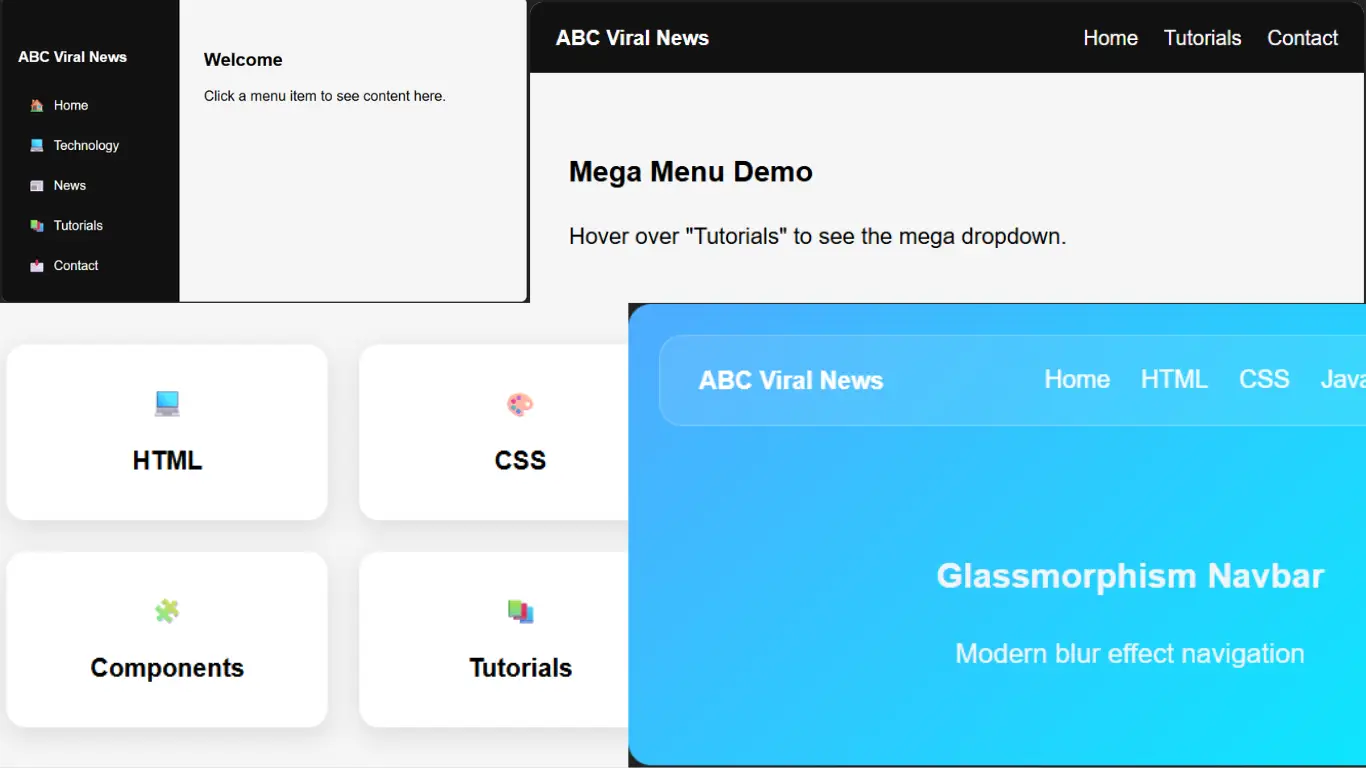
A vertical sidebar menu is a simple and modern way to organize content in a clean layout. You will see it a lot in web development projects because it makes navigation easier and more structured.
It works really well for tutorial websites where sections like HTML, CSS and JavaScript and UI components need to be easy to find. Everything stays in one place so users can move between topics without getting lost.
Keeping the menu visible all the time also improves the experience. People can quickly switch between pages or examples without searching around.
With small touches like hover effects and basic interactivity it also shows how far you can go using just CSS and a bit of JavaScript to build something that feels modern.
For a blog like ABC Viral News this kind of menu is not just useful but also something you can reuse and share as a helpful resource for other developers.
Welcome
Click a menu item to see content here.
Download ZIP
✔ Virus Scan (VirusTotal)
2. Glassmorphism Navbar
The glassmorphism navbar is a modern way to design navigation using transparency and soft blur effects. It gives the interface a clean look with a slightly futuristic feel without making it complicated.
This style has become popular because it adds depth while still keeping everything minimal and easy to read. It looks visually appealing but does not overwhelm the layout.
It is a great example of how you can build something modern using just HTML and CSS without relying on extra libraries.
The layout is also responsive so it works well on both desktop and mobile. On smaller screens it switches to a toggle menu which keeps everything simple and easy to use.
Glassmorphism Navbar
Modern blur effect navigation
Download ZIP
✔ Virus Scan (VirusTotal)
3. Mega Menu
A mega menu is a great solution when a website has a lot of content to show. Instead of small dropdowns it opens a wider space where everything is laid out clearly.
You will often see it on modern websites where different sections need to be grouped in a way that feels easy to follow. It helps users understand the structure right away without having to search too much.
For tutorial websites it makes things even simpler since people can jump straight to topics like HTML, CSS and JavaScript or backend without going through multiple steps.
The multi column layout makes everything feel more open and organized so moving around the site becomes faster and more natural compared to basic dropdown menus.
Mega Menu Demo
Hover over "Tutorials" to see the mega dropdown.
Download ZIP
✔ Virus Scan (VirusTotal)
4. Animated Underline Menu
The animated underline menu is a simple and modern way to handle navigation with a bit of style. When you hover over a link a smooth line appears underneath which makes the interaction feel more alive.
It is popular because it keeps things clean and minimal while still looking polished. That makes it a good fit for professional or simple websites that do not need heavy design.
What makes it interesting is that the effect is done using only CSS. With pseudo elements and transitions you can create that smooth movement without needing any JavaScript.
It also works nicely for tutorial style websites where users move between sections like HTML, CSS and JavaScript, keeping navigation clear and easy to follow.
Download ZIP
✔ Virus Scan (VirusTotal)
5. Full Screen Overlay Menu
A full screen overlay menu is a simple and modern way to show navigation. When you open it the menu takes over the whole screen so everything is clear and easy to focus on.
It is often used when you want a clean look without distractions. Instead of fitting links into a small space it gives them room to breathe and makes everything easier to read.
This style works really well on mobile since it keeps things simple and comfortable to use without crowded menus.
You can build it with just CSS and a bit of JavaScript which makes it a nice example of how smooth and modern UI does not always need anything complicated.
Download ZIP
✔ Virus Scan (VirusTotal)
6. Neon Glow Menu
The neon glow menu is a modern way to style navigation with bright glowing effects that instantly catch attention. It gives the interface a bold and slightly futuristic feel without being too complex.
You will mostly see it in dark themed designs where the glow really stands out and adds a bit of energy to the layout.
What makes it interesting is that the effect comes from simple CSS using text shadow and smooth transitions to create that glowing animation.
It fits well in projects where design matters a lot and you want the navigation to have a bit more personality and visual impact.
Download ZIP
✔ Virus Scan (VirusTotal)
7. Sticky Scroll Menu
A sticky scroll menu is the kind of navigation that stays with you as you move down the page. No matter how far you scroll the main links are always right there at the top.
It makes things feel easier because you do not have to go back up just to switch pages or open something else.
Sometimes it also changes a bit while you scroll which adds a subtle touch and makes the page feel more smooth and alive.
You will see this on many modern websites since it keeps everything simple and makes moving around feel more natural.
Scroll down to see effect...
Download ZIP
✔ Virus Scan (VirusTotal)
8. Card Style Menu
The card style menu takes a different approach by turning navigation into visual sections instead of simple links. Each option is placed inside its own block which gives everything more space and makes the layout feel less crowded.
It works really well when you want to present multiple sections in a way that feels clear at first glance. You do not need to read much to understand where each card will take you.
This style is often used on main pages where first impressions matter since it helps guide the user naturally through the content.
With simple layout techniques and small hover touches it can feel interactive and smooth without needing anything complex behind the scenes.
Download ZIP
✔ Virus Scan (VirusTotal)
9. Hamburger Animated Menu
The hamburger animated menu is a clean way to handle navigation using a small icon that opens into a full menu. It keeps things minimal at first and then reveals everything when needed.
It is used a lot in mobile focused designs since it saves space but still keeps navigation easy to reach.
What makes it stand out is the animation. The three lines smoothly turn into an X which makes the interaction feel more natural and well designed.
With a bit of CSS and JavaScript you can create this kind of effect and give the interface a more modern and polished feel without making it complicated.
Download ZIP
✔ Virus Scan (VirusTotal)
10. Gradient Modern Navbar
The gradient modern navbar is a simple way to make a navigation bar feel more alive by using soft color transitions. Instead of a flat color it blends shades together which gives it a more polished look.
You will see this style a lot on landing pages and clean professional sites where design needs to stand out without being too heavy.
It shows how something as basic as a gradient can change the whole feel of a menu while still keeping the structure simple.
It also adapts well to different screen sizes so whether someone is on desktop or mobile the experience stays smooth and consistent.
Gradient Navbar
Modern colorful navigation bar
Download ZIP
✔ Virus Scan (VirusTotal)
Complete Collection of Modern Navigation Menus
These 10 menus are a collection of different navigation styles you can actually use in real websites. Some are very simple, others are more detailed, but all of them are made to make navigation easier and cleaner.
They are built with HTML, CSS and a little JavaScript so you can understand them easily and change anything you want. You can adjust colors, layout or structure to fit your own style without much trouble.
Navigation is one of those things people notice without thinking about it. When it works well everything feels smooth. These examples help you create that kind of experience in a simple way.