
Today, website creation has become much easier; however, the decision-making regarding the choice of platform may sometimes turn into an arduous task due to the variety of options available and the multitude of claims made by these platforms.
A CMS (short for Content Management System) is a type of web development software which allows its user to build his own website without writing all the code himself. This way, one does not need to start creating the content from scratch but rather concentrates on managing it.
The problem is not the availability of different CMSes per se but making the choice of which CMS to use.
Quick Insight
The best CMS is not the most popular one. It’s the one that fits your project and how you plan to use it.
What is a CMS and Why It Matters
Let's start by talking about why CMS is so popular before we dive into platforms. With CMSs everything gets much simpler. It is not necessary to implement admin panels, deal with database management and all kinds of backend logic in order to post content.
The content can be posted directly using CMSs by creating pages, uploading pictures, implementing additional modules etc. CMS is particularly effective for blogging, businesses, portfolios and ecommerce.
CMS also makes life easier for programmers by enabling them to work faster.
1. WordPress
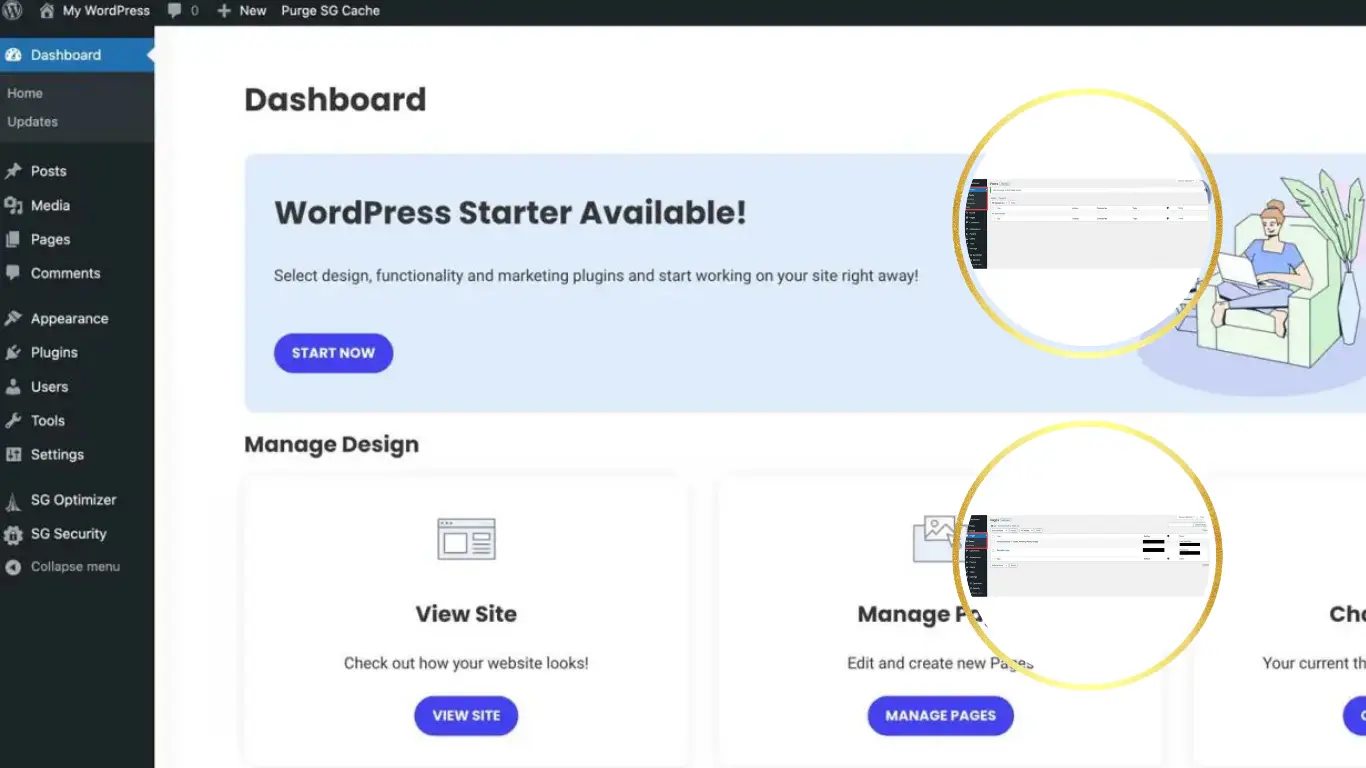
The first name that might pop up in search results while trying to choose a CMS will be WordPress and there is actually a reason for it being so popular. It is easy to work with while also being extremely flexible.
It is suitable not only for blogs or websites but also for landing pages and e-commerce solutions with such a plugin as WooCommerce. But what is even more interesting about WordPress is how customizable it is.
There are lots of themes and plugins out there so users will always have something to adjust to suit their needs.
If you’re thinking about using WordPress, this guide might help you get more out of it:
Official website:
WordPress.org
2. Joomla
Joomla is a good middle ground. It’s not as simple as basic website builders but it’s also not as complicated as some advanced systems. It offers a nice balance between flexibility and ease of use.
It’s often used for business websites, membership platforms and sites that need more structured content.
One thing that stands out is its extension system and built-in support for multiple languages, which can be really useful if you're working on an international site.
Official website:
Joomla.org
3. Drupal
Drupal is usually mentioned when people need something more powerful and flexible. It’s often used for bigger websites, government platforms or projects that need strong security and solid performance.
That said, it’s not the easiest one to get into. It takes some time to understand how everything works, especially if you’re new to it. But if you have experience or don’t mind learning, it gives you a lot of control.
For more complex projects where scalability really matters, Drupal can be a very solid choice.
Official website:
Drupal.org
4. Webflow
Webflow is a bit different compared to traditional CMS platforms. It focuses more on visual design while still offering CMS functionality.
You can design your website visually and control almost every detail without writing code. It’s especially popular among designers.
It also includes hosting, which means you don’t need to set up everything manually like with WordPress.
Official website:
Webflow.com
5. Shopify
If your goal is to build an online store, Shopify is one of the best options available. It’s built specifically for eCommerce.
Everything is optimized for selling products, managing orders and handling payments.
It’s very beginner-friendly but it comes with monthly pricing. Still, for many businesses, the simplicity is worth it.
Official website:
Shopify.com
6. Wix
Wix is one of those platforms that makes building a website feel really simple, especially when you're just starting out. If you want a complete walkthrough, check out this How to Create a Website on Wix: A Beginner-Friendly Step-by-Step Tutorial (2026).
Everything works visually so you can just move things around until it looks the way you want. It doesn’t take long to get something decent up and running.
It’s usually a good fit for smaller sites like portfolios, simple business pages or personal projects where you just want something clean without overcomplicating things.
Official website:
Wix.com
7. Squarespace
Squarespace is well known for its clean design and high quality templates. It’s often used by creatives, photographers and small businesses that want a professional looking website without putting too much effort into setup.
Everything is built into one place, so you don’t have to deal with separate hosting or extra tools. That makes the whole process a lot simpler.
It’s not as flexible as WordPress, but it feels polished and is easy to manage which is exactly what many people are looking for.
Official website:
Squarespace.com
8. Ghost
Ghost is mostly built for writing, so it makes sense if your focus is blogging or publishing content. It feels pretty clean when you use it and things load fast, which is nice if you don’t want a heavy setup.
It’s a bit more limited compared to WordPress though. You don’t get that huge amount of plugins or options, so you can’t tweak everything the same way.
Still, if all you really want is a simple place to write and publish without dealing with too many extras, Ghost does the job really well.
Official website:
Ghost.org
9. Magento (Adobe Commerce)
Magento now known as Adobe Commerce, is a powerful platform designed specifically for large eCommerce websites.
It offers advanced features for managing products, payments and customer experience at scale.
However, it’s not beginner-friendly. It requires technical knowledge and is usually used by larger businesses or developers.
Official website:
Adobe Commerce
Which CMS Should You Choose?
The answer depends on what you actually need. There is no single “best” option for everyone.
If you want flexibility and control, WordPress is usually the safest choice. If you need something more structured, Joomla can work well. For large and complex projects, Drupal is a strong option.
On the other hand, if you prefer visual building without dealing with hosting, Webflow is a great alternative. And if your focus is selling products, Shopify makes everything much easier.
The mistake many people make is choosing something too complex for a simple project. In most cases starting simple is the better approach.
Final Thoughts
CMS-based solutions have made website development far easier and more rapid compared to before. The steps which would take much time to accomplish previously are done much quicker through using them despite their technical complexity.
The critical point here is not to complicate matters. Pick whatever meets your requirements and leave it at that.
Your website will eventually evolve so the issues mentioned above can be addressed later. Starting with the right CMS will save you much time in the long run.